
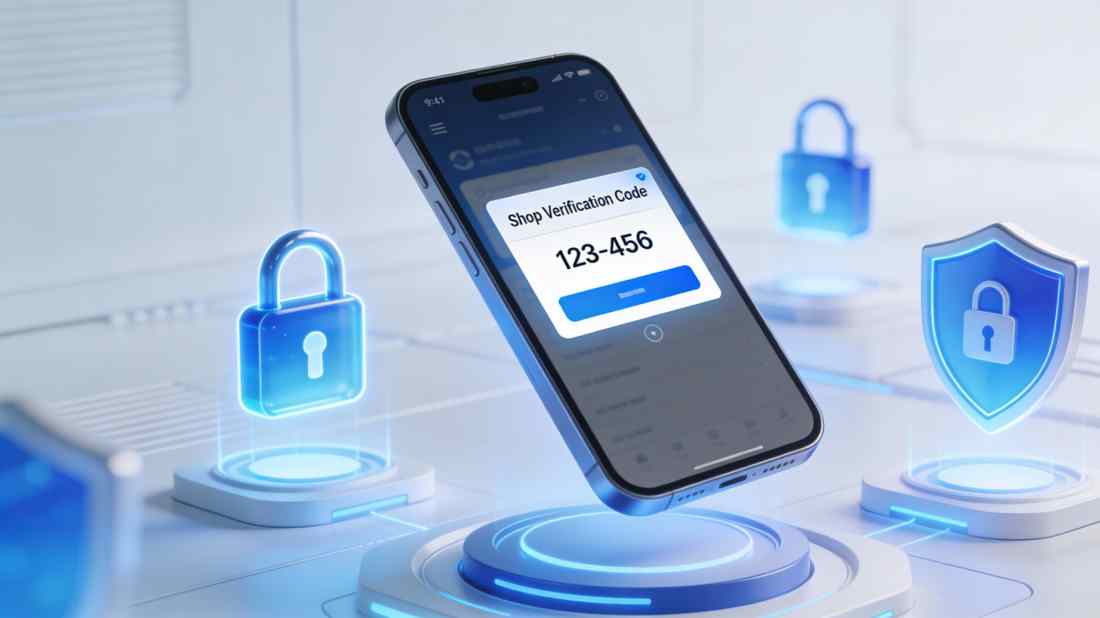
In the digital age, receiving a random 6-digit code on your phone can induce instant panic. Is it a scam? Is someone hacking your bank account? Or is it just a glitch?
As we move into 2026, the phrase “Shop verification code” has become one of the most searched terms in e-commerce security. Whether you are a shopper confused by an unsolicited text or a business owner trying to legitimize your Google Merchant Center account, understanding these codes is critical.
This guide breaks down exactly what these codes are, why they are essential for trust, and the new security protocols rolling out in 2026.
What Does “Shop Verification Code” Actually Mean?
The term “Shop Verification Code” generally refers to one of two distinct things depending on who you are:
1. For Shoppers (The “Shop Pay” Code)
If you receive a text saying “123456 is your Shop verification code,” this comes from Shop Pay (by Shopify).
- What it is: Shop Pay is an accelerated checkout tool used by over 100 million stores. It saves your credit card and shipping info.
- Why you got it: If you (or someone else) entered your email or phone number on any Shopify-powered store checkout page, the system recognizes you and sends a code to “fast-track” the login.
- The Panic Point: You might get this code without buying anything. This often happens if someone mistyped their phone number and accidentally triggered your 2FA (Two-Factor Authentication).
2. For Business Owners (Google/Meta Verification)
For e-commerce merchants, a “Shop Verification Code” is a digital handshake between your store and platforms like Google Merchant Center or Instagram Shopping. It proves you own the domain and are a legitimate business, unlocking features like “Trusted Store” badges.
Deep Dive: The Security “Handshake” Protocol
Why is this code so important? In 2025, e-commerce fraud rose by 14%, driving platforms to enforce stricter verification rules.
How It Works (The Backend View)
When a user enters a number on a checkout page, the Shop API (Application Programming Interface) triggers a “challenge.”
- Initiation: The system detects a known device or email.
- Challenge: It blocks access to the stored credit card data until identity is proven.
- Response: The user inputs the 6-digit SMS code.
- Tokenization: Once verified, the system releases a “payment token” (not the actual card number) to the merchant.
Why this matters: This “Zero-Trust” model means that even if a hacker has your email, they cannot use your Shop Pay account without your physical phone.
Case Study: The “Phantom Checkout” Scam (2025)
The Scenario:
In early 2025, a wave of users reported receiving 10-20 “Shop Verification Codes” in a single hour. This was dubbed the “Phantom Checkout” attack.
The Attack:
Bots were using scripts to input thousands of leaked phone numbers into Shopify checkout pages. Their goal was to annoy users into turning off their phones or, more sinisterly, to prompt a user to click a fake “Cancel this request” phishing link sent in a follow-up text.
The Fix:
Shopify and Google updated their algorithms in late 2025 to include “Rate Limiting.” If a phone number requests a code more than 3 times in 5 minutes without entry, the account is temporarily locked, stopping the spam.
2022-2026: The Evolution of Shop Verification
The way online stores verify identity has changed rapidly. Here is the progression of security standards over the last four years.
Table: The Evolution of E-Commerce Verification
| Year | Verification Standard | Primary Method | Security Threat | New Update (The Fix) |
|---|---|---|---|---|
| 2022 | SMS 1.0 | Simple 6-digit SMS code | SIM Swapping | Introduction of authenticator apps |
| 2023 | Biometric Intro | SMS + FaceID options | Phishing sites | Passkeys (FIDO2) start rolling out |
| 2024 | AI Monitoring | Behavioral analysis | “Phantom” Bot Spam | Rate Limiting & “Silent” Verification |
| 2025 | Merchant Identity | “Trusted Store” Badge | Drop-shipping scams | Video Verification for Merchants |
| 2026 | The “Passkey” Era | No Codes (Biometric only) | AI Voice Cloning | Device-Bound Credentials |
New Update for 2026:
The biggest shift for 2026 is the “Death of the Code.” Google and Apple are pushing Passkeys, which use your face or fingerprint to verify identity without sending a text. This eliminates the risk of someone intercepting your SMS code.
For Business Owners: How to Verify Your Store in 2026
If you are a merchant, “verification” is no longer optional. Unverified stores in 2026 see a 40% drop in ad performance on Google Shopping.
Step-by-Step Google Merchant Center Verification
-
HTML Tag Method:
- Go to Merchant Center > Business Info > Website.
- Copy the
HTML Tag(it looks like<meta name="google-site-verification"...>). - Paste this into the
<head>section of your website code (Shopify/WordPress).
-
The New “Video” Requirement (2025 Update):
- Google now occasionally asks for Video Verification. You must record a 30-second video showing your workspace, your inventory, and you unlocking the business door. This proves you are not a “ghost” drop-shipper.
Troubleshooting: “Why Is My Verification Failing?”
- The “http” Error: Ensure your site forces
https://. Google 2026 standards reject insecurehttpsites. - The “Duplicate Claim” Error: If you changed platforms (e.g., Etsy to Shopify), you must “Unclaim” the old URL in Merchant Center before verifying the new one.
Conclusion: Trust is the New Currency
Whether you are a shopper protecting your wallet or a business protecting your brand, the Shop Verification Code is the first line of defense.
- Shoppers: Treat the code like your house key. Never give it out.
- Merchants: Verify early. The “Trusted Store” badge is the highest converting asset you can own in 2026.